
Job orders and dispatch
The commercial state of a movement, made executable.
- 02Job orders
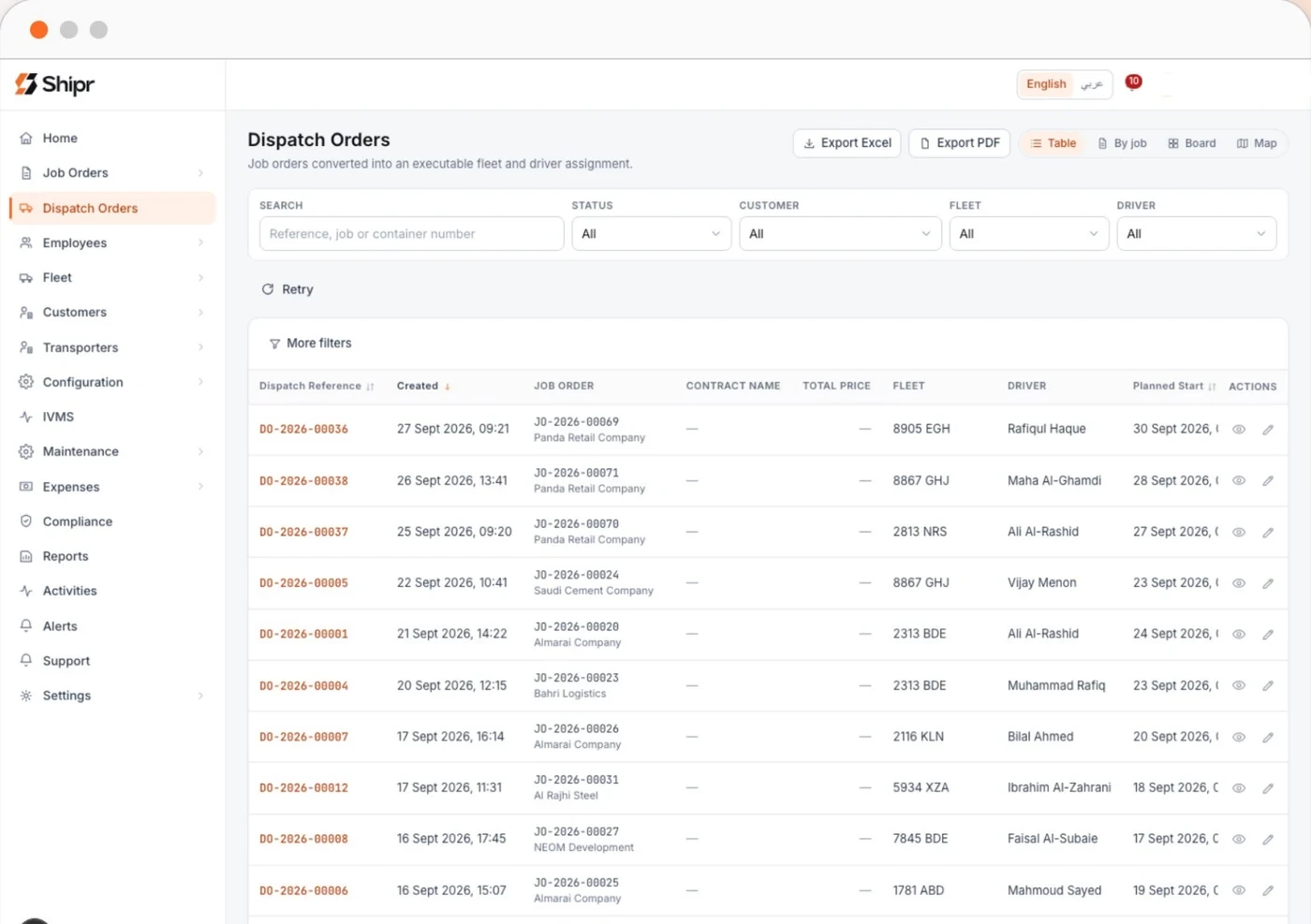
- 03Dispatch orders
- 01Home dashboard
- What
- The job order carries the commercial state of a movement. The form is route first, because that is the order in which a booking arrives by telephone. A dispatch order is that job order made executable: a specific vehicle, a specific driver, a planned window, and the evidence trail of what actually happened.
- Who it is for
- Dispatchers, dispatch managers and customer service, with fleet and operations in view.
- Problem
- The same weekly movement keyed from scratch, and a customer kept on the line while fields are hunted.
- How
- Single trips and multi trip job files. A container movement is one file with child legs, each dispatched and evidenced on its own. Trips and whole files can be duplicated. Four dispatch views share one filter model: table, by job, board and map.
- Value
- A ten state lifecycle with the price locked at creation, and movements repeated without re entry.
What this settles
- “Can this vehicle take this job?”
- Assignment answers, and when it refuses it names which of fleet status, document validity, overlapping commitment, driver designation or compliance blocked it.
- “Do I have to key this weekly run again?”
- No. A trip or a whole job file is duplicated, and only what actually differs is edited.
- “Where is this load right now?”
- On the dispatch board, in whichever of the four views suits the question — table, by job, board or map.
What it looks like
In transport management terms
Order management, planning and execution
The core of any TMS: transport order capture, a planning board, and dispatch against a specific vehicle and driver. The difference here is that execution writes back to the same order rather than to a separate operations sheet.
Where it sits in the run
- 01Shipment
- 02Connectivity
- 03Data
- 04Visibility
- 05Intelligence
- 06Decision
- 07Outcome
Where you work in it
- 02Job orders
- 03Dispatch orders
- 01Home dashboard
The tenant console is a persistent left navigation over a content area, built for operators who live in it all day. A second console serves the platform operator, and a driver application serves the cab.
What it refuses
Assignment refuses, and says why, when:
- Fleet status does not permit work, or a mandatory document has expired
- Vehicle already committed to an overlapping dispatch
- Driver designation does not grant driving, or licence or iqama expired
- A blocking compliance requirement is unmet
- Fleet type requires a trailer and none is attached
- Critical walk around failure with no release granted
True of every area
Arabic and English, both first class
Every screen, every document and every export, with full right-to-left layout rather than a translated skin.
Every write is audited
Actor, entity, action and change, appended and never edited. Operator impersonation is visible to the tenant.
Permissions follow the role
Money is a permission rather than a column, and an approval chain belongs to the role that owns it.
It comes out again
Excel, CSV and print to PDF across the reports, with the documents and the audit trail included.
It does not work alone
- Customers and invoicingWho is billed, on what terms, against which contract.Read this area
- Driver evidence and proofEvidence captured where the work happens, travelling with the order.Read this area
- Delay attribution and chargesEvery hour of a late delivery has an owner.Read this area
- Fleet, people and documentsOperational stage is derived, never typed.Read this area
- Maintenance and expensesA release gate that keeps a failed vehicle off the board.Read this area
- Compliance and restrictionsSaudi obligations as modelled objects, not custom fields.Read this area
- Reports, alerts and audit26 parameterised reports, system-raised alerts, an append only audit trail.Read this area
What this changes, by sector
Distribution
Duplicate a trip or an entire job file instead of keying the same weekly movement from scratch.
Trucking and logistics
A container movement is one file with child legs, each dispatched and evidenced on its own.
Construction
Heavy units and yard equipment are dispatched against the windows that govern when they may move.