The all-in-one platform for Saudi road freight
Dispatch, evidence, compliance and billing on one record — not four systems that agree with each other once a month.
One platform, every operation
Eight areas in one workspace. Pick one to see what it holds and what it is worked in.
Customers and invoicing
Who is billed, on what terms, against which contract.
The commercial counterparty record: who is billed, on what terms, against which contract. Completed work queues for invoicing.
- Order-to-cash and freight settlement
- Which rate applies to this movement
- Why has this work not been invoiced
- Is this invoice acceptable to ZATCA
- 06Customers
- 07Transporters
- 13Reports
Job orders and dispatch
The commercial state of a movement, made executable.
The job order carries the commercial state of a movement. The form is route first, because that is the order in which a booking arrives by telephone. A dispatch order is that job order made executable: a specific vehicle, a specific driver, a planned window, and the evidence trail of what actually happened.
- Order management, planning and execution
- Can this vehicle take this job
- Do I have to key this weekly run again
- Where is this load right now
- 02Job orders
- 03Dispatch orders
- 01Home dashboard
Driver evidence and proof
Evidence captured where the work happens, travelling with the order.
Evidence is captured where the work happens and travels with the order to the invoice. Driver notices for assignments, windows, readiness and waybill events are retried until delivered.
- Electronic proof of delivery
- Did this delivery actually happen
- Who signed for it, and when
- Was the cargo damaged before or after we took it
- 03Dispatch orders
- 04Employees
- 14Activities
Delay attribution and charges
Every hour of a late delivery has an owner.
Trip events are placed on a timeline and reduced to spans. Each span carries a duration, a cause and an owning party: customer, carrier, regulator, or nobody at fault.
- Detention, demurrage and accessorial charges
- Whose two hours were those
- Can we bill for this waiting time
- The customer disputes the lateness. What do we show them
- 03Dispatch orders
- 13Reports
- 15Alerts
Fleet, people and documents
Operational stage is derived, never typed.
A vehicle's operational stage is derived, never typed: available, assigned, in progress, blocked or inactive. The blockers that produced it are listed on the record.
- Fleet and driver management
- Is this vehicle fit to work today
- Which documents are about to expire
- Is this driver allowed to drive this
- 05Fleet
- 04Employees
- 12Compliance
Maintenance and expenses
A release gate that keeps a failed vehicle off the board.
Work orders, defects, service tasks, a parts catalogue, workshops and meter readings, with a release gate that keeps a failed vehicle off the board.
- Maintenance management and transport cost control
- What does this vehicle cost us per kilometre
- Why is this truck off the board
- Which vehicles are overdue for service
- 10Maintenance
- 11Expenses
- 05Fleet
Compliance and restrictions
Saudi obligations as modelled objects, not custom fields.
Saudi obligations are modelled objects, not custom fields. Every workspace opens with 31 seeded requirements; one marked blocking stops dispatch until it is met.
- Regulatory compliance and movement restrictions
- Can this load move through this city now
- What is stopping this dispatch
- Are we compliant, or do we think we are
- 12Compliance
- 08Configuration
- 15Alerts
Reports, alerts and audit
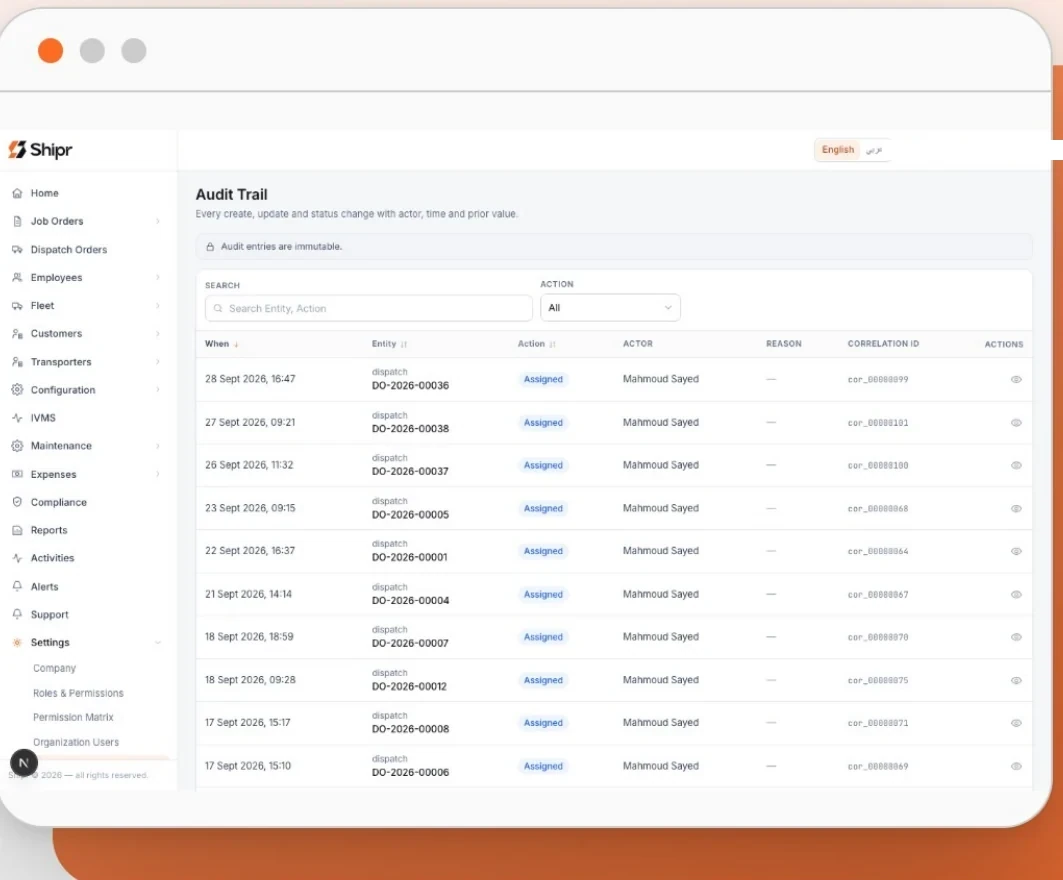
26 parameterised reports, system-raised alerts, an append only audit trail.
26 parameterised reports across operations, commercial, financial, fleet, maintenance, cost and people. Excel, CSV and print to PDF. Money is a permission, not a column.
- Transport analytics, exception alerting and audit
- Where did this number come from
- Who changed this, and when
- What should we be looking at this morning
- 13Reports
- 15Alerts
- 14Activities
IVMS telematics
Live tracking through the IoT platform.
One console, sixteen working areas
The tenant console is a persistent left navigation over a content area, built for operators who live in it all day. A second console serves the platform operator, and a driver application serves the cab.
- 01Home dashboard
- 02Job orders
- 03Dispatch orders
- 04Employees
- 05Fleet
- 06Customers
- 07Transporters
- 08Configuration
- 09IVMS telematics
- 10Maintenance
- 11Expenses
- 12Compliance
- 13Reports
- 14Activities
- 15Alerts
- 16Settings
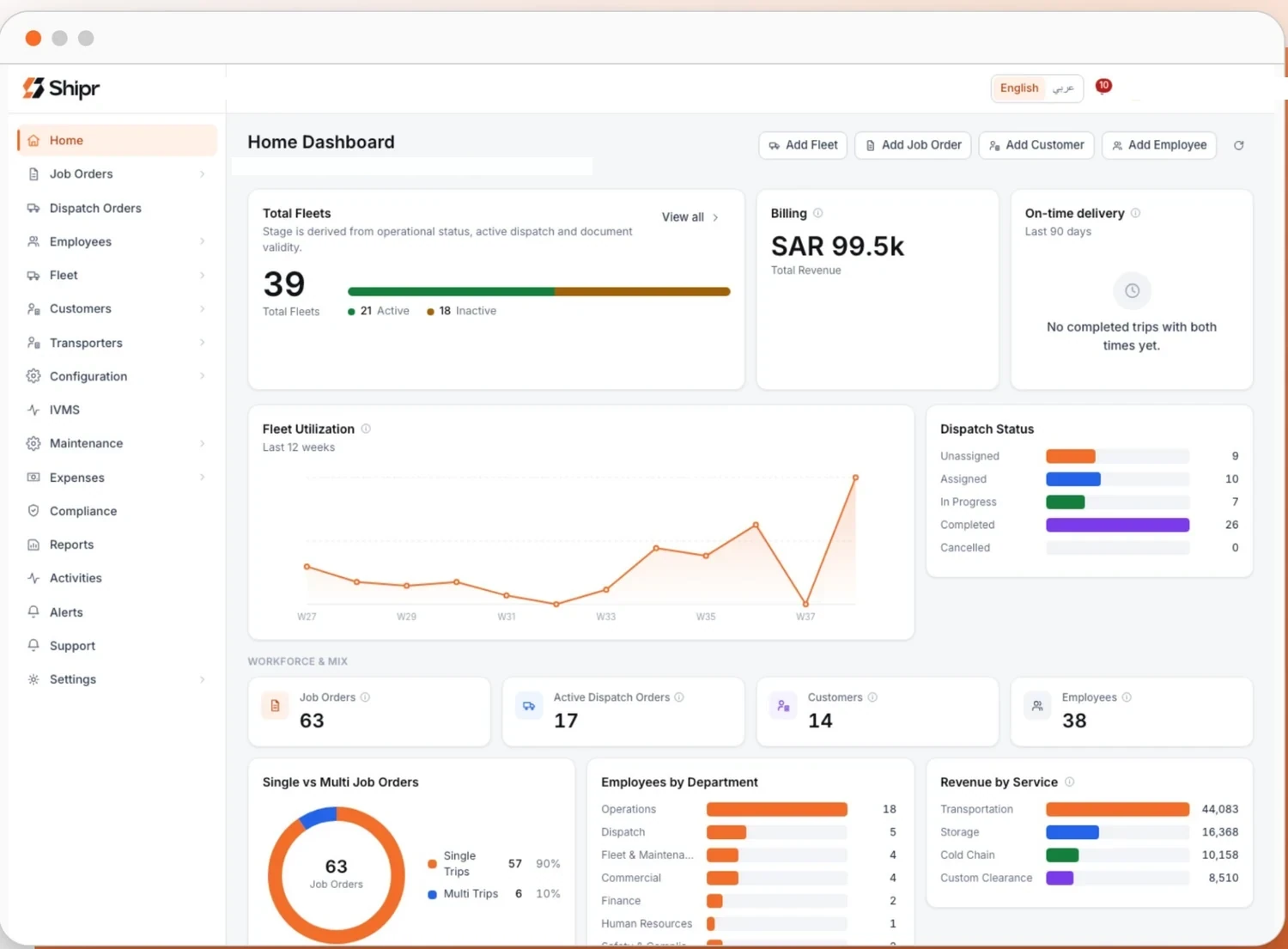
The home dashboard, on the seeded demonstration workspace
One movement, through all of it
The areas are not modules you buy separately. A single movement passes through them in order, and each one writes to the record the next one reads.
- 01
Shipment
A booking becomes a job order: customer, contract rate, route, cargo and delivery date.
- 02
Connectivity
The driver app and the connected vehicle report from the road through the IoT platform.
- 03
Data
Trip events, checklists, damage, proof of delivery and positions land on the same record.
- 04
Visibility
Dashboard, four dispatch views, alerts and a report suite show what is moving and what is late.
- 05
Intelligence
The attribution ledger assigns every span of delay to carrier, customer or regulator.
- 06
Decision
Assignment refuses unfit vehicles and drivers. Charge suggestions arrive with their evidence.
- 07
Outcome
A defensible bilingual invoice, raised in the period the work was done.
What the platform refuses to do
Most of what a system is worth is what it will not let happen. Assignment is the gate, and it says why rather than failing quietly.
- Dispatch a vehicle whose fleet status does not permit work
- Dispatch against a mandatory document that has expired
- Commit a vehicle already assigned to an overlapping dispatch
- Assign a driver whose designation or licence does not grant driving
- Proceed while a blocking compliance requirement is unmet
- Send a fleet type that needs a trailer without one attached
- Release a vehicle after a critical walk around failure
Who works in it
One workspace, different views of it. Permissions follow the role rather than the person, and money is a permission rather than a column.
Dispatchers
Live on the dispatch board in four views — table, by job, board and map — and on the job order behind each one.
Operations managers
Watch the attribution ledger, the exception alerts and what is running late against plan.
Finance and customer service
Contracts, rate cards, completed work queues and the invoices raised from them.
Fleet and workshop
Vehicles, documents, servicing, defects and the release gate that keeps a failed vehicle off the board.
Drivers
A separate application in the cab: duty, walk around, acceptance, trip events and proof of delivery.
Administrators
Roles, permissions, reference data and the audit trail of who changed what.
Built for the Kingdom, not localised into it
These are not settings you configure after buying. They are how the platform is shaped, and a workspace opens with them already in place.
- 01
Arabic and English as equals
Full right-to-left layout, not a translated skin over a left-to-right product. A document prints correctly in either language.
- 02
ZATCA invoices from evidence
Bilingual tax invoices in ZATCA format with a QR code, raised from what was executed rather than re-keyed afterwards.
- 03
Saudi reference data seeded
Ports, crossings, cities and thirty-one compliance requirements are in the workspace on day one. Nothing to configure before you can dispatch.
- 04
Movement restrictions as objects
City windows and authority restrictions are modelled things a dispatch can be refused against, not free-text fields nobody reads.
IVMS telematics
Shipr.me does not own the devices and does not manufacture position data. The workspace connects its own account on the IoT platform, and the vehicles live in that tenancy.
Telematics in Shipr.me depends on a connected IoT platform account. With no provider connected, the module is reachable and empty.
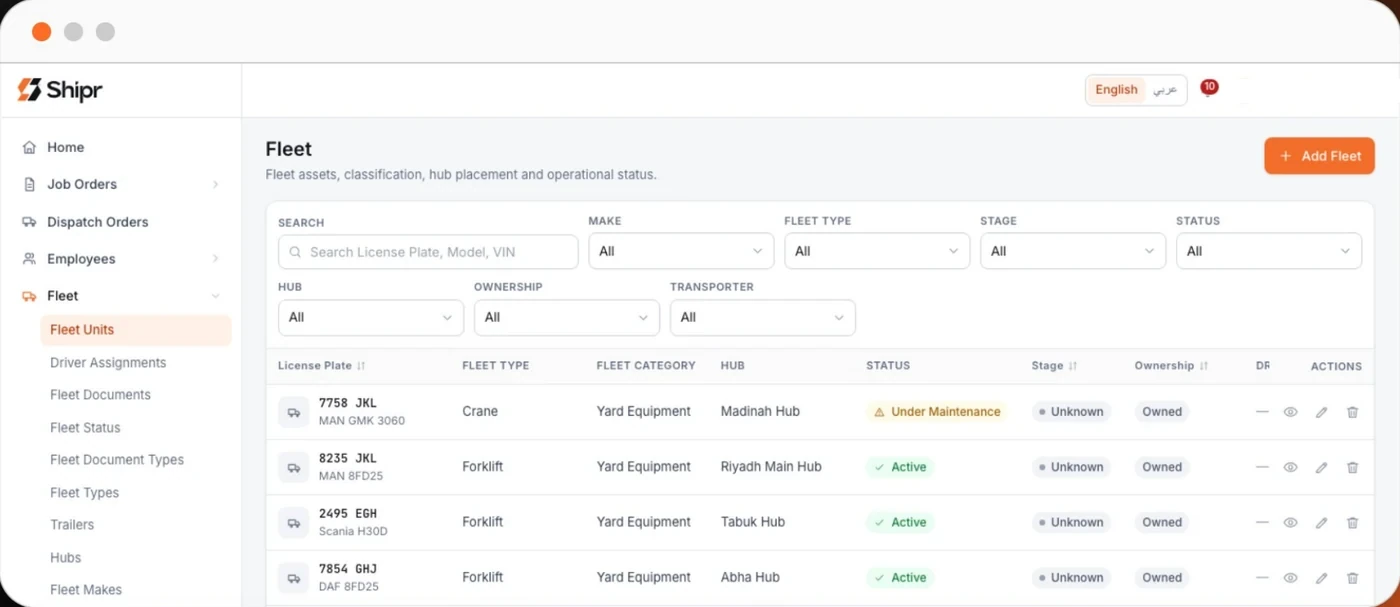
Device binding
A unit is bound to a device on the IoT platform, and a policy can require a bound device before dispatch.
Live unit view
Position per unit on the map with unit identity and current state. A silent device is marked stale rather than shown as current.
Violations and scorecards
Speed, idling, night driving and continuous driving thresholds per workspace, acknowledged in the register, with driver scorecards.
Same records everywhere
Telemetry reports against the vehicle, job order and shipment records used across the platform.
Integrations, by status
What connects today, what is being built, and what is not on the list. Status is stated per connection rather than implied by the absence of a caveat.
IoT platform (IVMS)
Tracking.me powered by IoT Cube; the workspace connects its own account.
Odoo
Invoices and credit notes pushed as drafts. Outbound only.
Bayan (ELM)
Electronic waybills filed and their status read back.
Email (SMTP)
Password reset, invitations and invoice notices.
StreamPay
PlatformCollects Shipr.me subscriptions. Not tenant facing.
Live ZATCA clearance
Coming soonInvoice already in ZATCA format with QR; needs a production identity.
Published API and machine identities
Coming soonThe prerequisite for partner integrations.
SMS or WhatsApp channel
Coming soonReaches drivers without the app; email and in app notices exist today.
Second ERP connector
Coming soonSAP, Oracle or Dynamics, based on demonstrated demand.
Fuel cards, tolls, push, WASL and TGA APIs
Not availableFuel is an expense; WASL and TGA are recorded registrations.
Everything above leaves a trail
Twenty-six parameterised reports across operations, commercial, financial, fleet, maintenance, cost and people. Alerts the system raises from the same records. An audit trail that is added to and never edited.